 Dosiqo
Never forget a medication again.
Reminders on time, a log of every dose and simple reports. It works offline and needs no account.
Free to start · iPhone and Android · 9 languages
Your medications organized and always at hand
Everything you need not to miss a dose, without complicated screens.
Reliable reminders
Alerts are scheduled on your device and fire even without internet. On iPhone they can ring like an alarm.
Schedules your way
Several times a day, specific weekdays, every so many hours, with start and end dates.
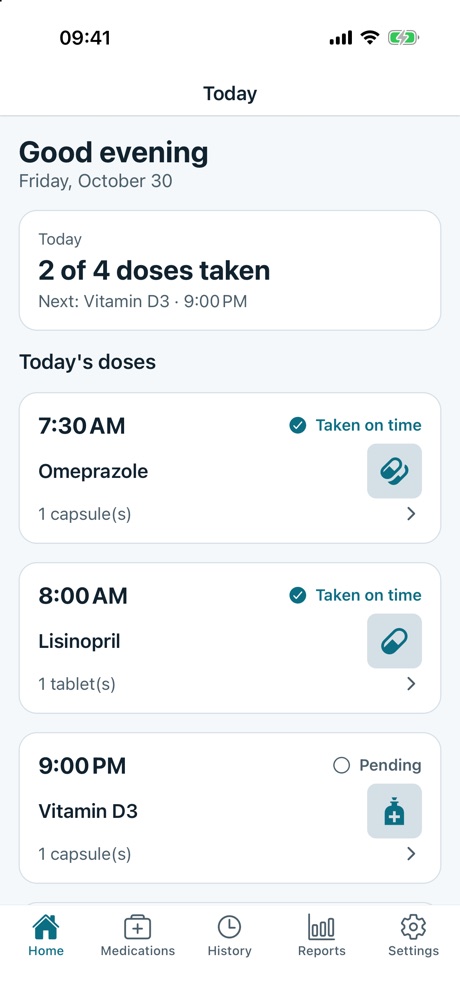
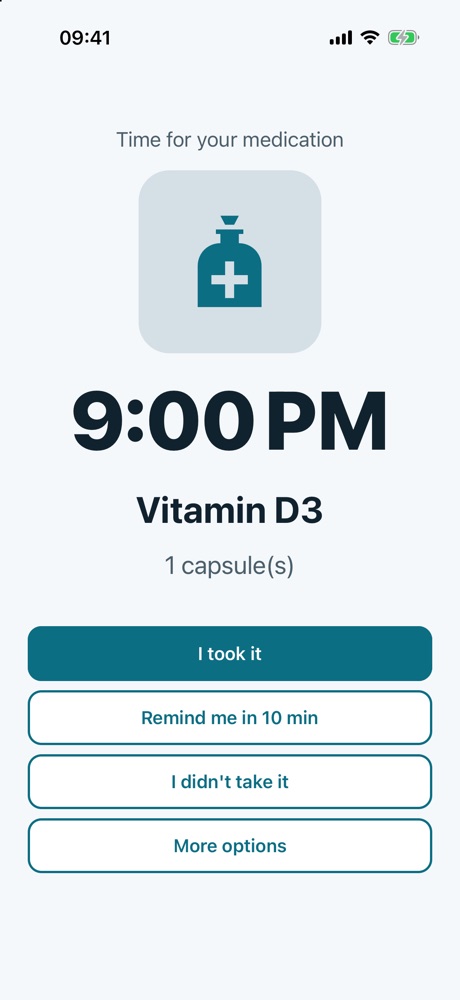
Confirm with one tap
Mark it taken, snooze for a few minutes or note that you skipped it. Optional photo for each dose.
A sound for each medication
Pick a tone for each medication, from the app's sounds or your own file (on iPhone).
History and reports
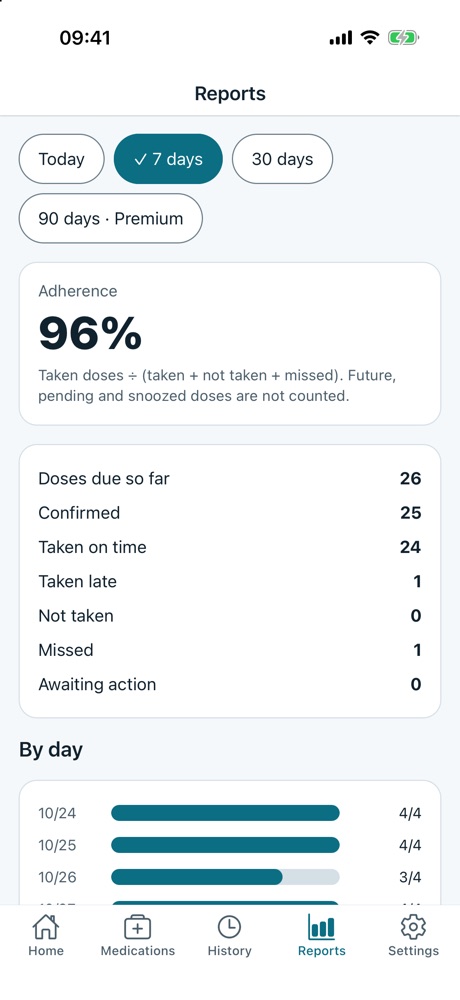
See what was taken, late or missed, with a clear record of every correction.
Share if you want
Optional account for backup and sync, and sharing with someone you trust, revocable at any time.
Set it up once. Share it in seconds.
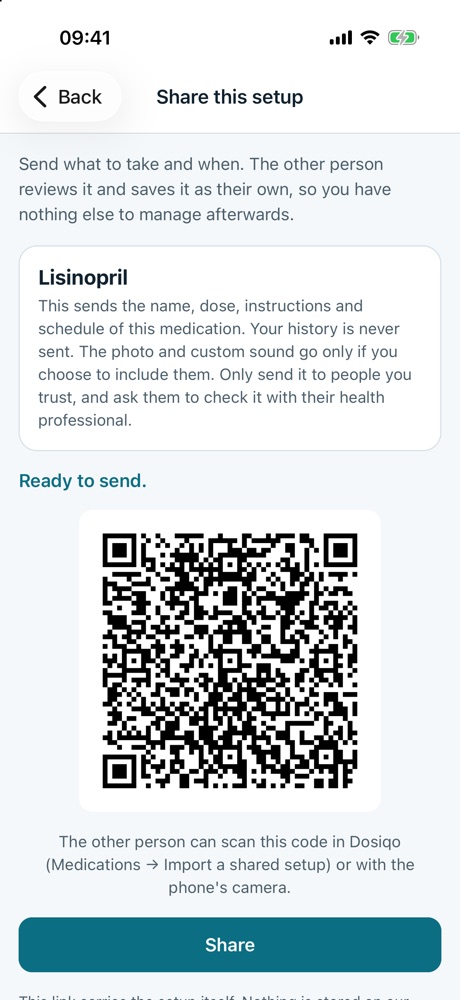
Set up a schedule for a family member, a patient or a friend, then send it by link or QR code. They get it ready to use, with name, dose, times and even the alarm sound. After that it's theirs: nothing to keep in sync.
- Send a link or show a QR code; the other person needs no account
- Include the medication photo and your custom alarm sound
- Private and temporary: files are deleted when the link is opened
Your health data, protected.
Medications are sensitive information. Dosiqo is built so you decide what leaves your device.
Read the privacy policy →- Everything on your deviceWithout an account, no record is sent to us.
- Cloud only if you want itAn account is optional, for backup and sync, in private storage that only you can access.
- Sharing under your controlYou invite whoever you want and can revoke at any time; both of you see the access log.
- No selling of dataWe don't sell data, and your medication records are never used for advertising or profiling.
- Deletion inside the appDelete your account and cloud data, or everything on the device, in Settings.
Get started in minutes
From setup to your first reminder, in just a few taps.
Download
Install Dosiqo on your iPhone or Android.
Add
Enter the name, the time or interval, and pick an icon or photo.
Pick the sound
Choose the alarm tone for each medication.
Confirm
One tap logs the dose and your history builds itself.
See Dosiqo in action
A simple interface made to be used in seconds.
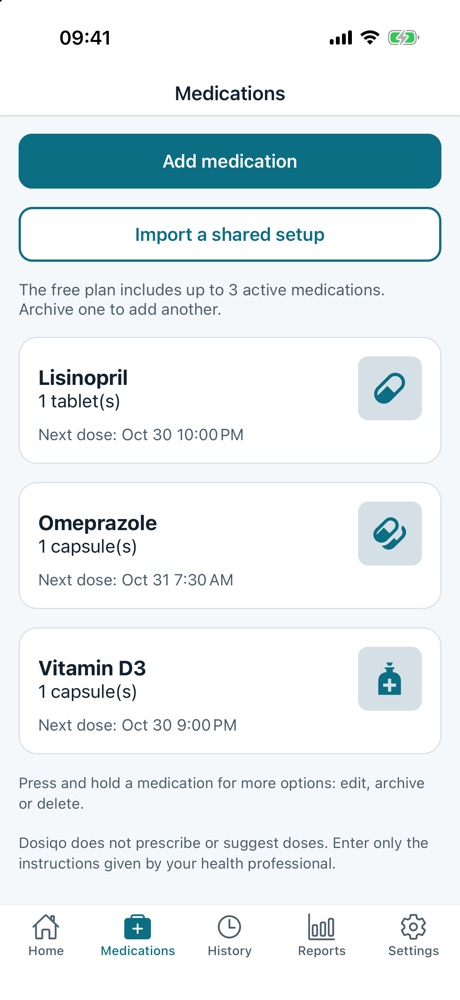
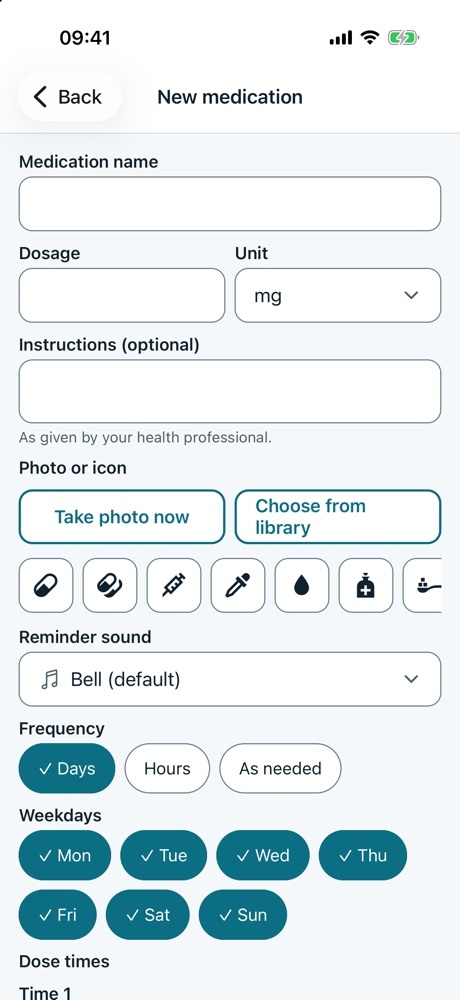
App screenshots with made-up data.
Get Dosiqo
The app is on its way to the official stores.
iPhone
Available on the App Store.
SoonAndroid
Available on Google Play.
SoonStart for free.
Use it at no cost and move up to Premium when you need more.
- Up to 3 active medications
- Reminders and alarms
- Dose confirmation
- Simple history and reports
- Unlimited medications
- Longer history
- Extended reports
- Follow records shared by another person
Frequently asked questions
Get answers to the most common questions about Dosiqo.
Do I need an account?
No. Dosiqo works fully without one, and your records stay on your device. An account is optional, for backup, multi-device sync and sharing.
Is Dosiqo free?
Yes. The free plan allows up to 3 active medications. There is also a Premium plan with more features.
Can I send a medication setup to someone else?
Yes. Open the medication, tap Share and send the link or show the QR code. The other person reviews it and saves it as their own. The photo and custom sound only travel if you choose and have an account; they are kept privately for up to 7 days and deleted when the link is opened.
Do reminders work offline?
Yes. They are scheduled on your device. The system may delay them in battery-saving modes, so the exact time is not guaranteed, and it helps to open the app from time to time.
Does Dosiqo suggest doses or give medical advice?
No. The app doesn't prescribe or suggest doses and doesn't replace your health professional. You only record what was given to you.
Do you sell my data?
No. We don't sell data, and your medication records are never used for advertising or profiling. The Free plan shows small ads; Premium removes them.
How do I delete my account and data?
Inside the app, in Settings, you can delete your account and cloud data and erase the data on your device. See the deletion page for details.
Get in touch
Questions, suggestions or found a problem? Write to us and we'll reply as soon as we can.
Send emailsupport@dosiqo.com
Dosiqo does not give medical advice, suggest doses or replace your health professional. Reports describe your own records only. Reminders depend on the device's system and the exact time is not guaranteed.